

AI crawlers like GPTBot can't reliably run JavaScript, so your key facts need to be visible in raw HTML for AI systems to find and cite them. The fastest wins are adding JSON-LD schema markup and an llms.txt file to your site, then making sure your page is under 4MB and your answer appears right after the heading. You can implement these fixes in 2–3 weeks and start seeing citations from AI-powered search and answer engines.
Fix Rendering for AI and Win Citations in 2–3 Weeks for Dev Teams

Rendering for AI means delivering a page readable in raw HTML, with machine-readable signals attached, so AI crawlers can extract and cite your answers. Add JSON-LD schema and an llms.txt file at the root and you have covered the two quickest wins available today.
***
TL;DR: >- AI crawlers like GPTBot do not reliably execute JavaScript, making server-rendered HTML with essential facts and signals crucial for citation.- Pages over 4MB can be rejected by ChatGPT's retrieval stack, so keep content lean and use schema markup alongside visible facts for better AI understanding.- Content should be structured to answer questions immediately after the heading, with short paragraphs and question-based headings to improve extractability.- Use server-side rendering or static generation for informative pages and only rely on client-side rendering for interactive tools, adding static summaries for crawlers.- Regular audits of rendering, robots.txt permissions, and schema implementation can identify critical issues preventing AI systems from correctly parsing and citing your content.
***
Table of Contents
- What does "rendering for AI" actually mean?
- Should you use SSR, SSG, or client-side rendering?
- How should you structure content so AI engines can lift it?
- How do you test whether AI crawlers can actually read your page?
- What's the right order to fix rendering issues?
- How do you handle JavaScript-heavy content without losing citations?
- Does lazy loading hurt your chances of being cited?
- How do you make images and media readable to AI systems?
- Does content freshness actually improve AI citation rates?
- Do canonical tags matter for AI indexing the way they do for Google?
- Can API-rendered content work for AI compatibility?
- Cited's view: what audits keep finding, sprint after sprint
- Get a free AI visibility audit before you touch a line of code
- Sources
- FAQ
What does "rendering for AI" actually mean?
Rendering for AI is the practice of delivering web content in a form that AI crawlers, retrieval systems, and generative answer engines can parse without executing JavaScript. Most AI crawlers, including GPTBot, do not render JavaScript the way a browser does, so anything injected client-side risks being invisible to them, according to practical testing by Prismic. Run these checks this week and you remove the most common blockers to citation.
- View-source check: open your page, press Ctrl+U (or Cmd+Option+U on Mac), and confirm your key facts and answer text sit in the raw HTML, not injected after the fact by a script.
- Robots.txt audit: confirm your robots.txt explicitly allows GPTBot, ChatGPT-User, and other named AI user agents rather than blocking them by default.
- Page weight check: keep pages under 4MB. ChatGPT's retrieval stack can reject larger pages outright, according to reporting from Search Engine Land.
- Schema check: add JSON-LD Article or FAQPage schema to any page answering a question, and publish an llms.txt file at your domain root.
- Answer placement: insert a direct-answer block immediately after your H1 or first H2, not buried three paragraphs down.
Pro Tip: Run the view-source check on mobile too. Some sites serve a stripped-down mobile template that hides text a desktop crawler would see, which quietly breaks citation eligibility for mobile-first indexes.
Should you use SSR, SSG, or client-side rendering?
Server-side rendering (SSR) or static generation (SSG) should handle any page built primarily to publish content, because both deliver complete HTML to crawlers on the first request. Client-side rendering (CSR) is acceptable only for genuinely interactive applications, such as dashboards or configurators, where the content itself is not the thing you want cited.
Martin Splitt at Google has drawn this line clearly: publishing sites should lean on server-side or pre-rendered static HTML, while CSR suits interactive tools rather than articles or product pages, according to Search Engine Journal. The distinction matters more for AI crawlers than it ever did for Google, because Google's Web Rendering Service can execute JavaScript before indexing, whereas many AI crawlers skip that step entirely.
Dynamic rendering, serving pre-rendered HTML to bots while serving the normal JavaScript app to users, is a legitimate short-term fix. Google itself documents it as a recognised workaround for JavaScript-heavy sites that can't be immediately migrated, confirming its role as a stopgap rather than a destination. The catch: it adds a second rendering pipeline you must maintain indefinitely, and it's easy for the bot-facing version to drift out of sync with the real page.
Three practical rules follow from this:
- If a page's job is to inform or answer a question, build it with SSR or SSG.
- If a page's job is to let someone interact with a tool, CSR is fine, but add a static summary paragraph for crawlers.
- If migration will take months, use dynamic rendering as a bridge, not a permanent architecture. Teams moving experimental front-end builds into production-grade infrastructure can find useful groundwork in Vibeprod.
How should you structure content so AI engines can lift it?
Structure every section to open with the direct answer, then support it with context and one verifiable fact, because AI systems increasingly extract short passages rather than reading a page in full. Answer-first writing, paired with semantic HTML and clear headings, materially raises the odds of citation, according to the AI search content optimisation checklist from INSIDEA.
Four structural habits make the biggest difference:
- Put the answer in the first sentence, not later in the paragraph.
- Keep paragraphs short. One idea per paragraph, ideally two to four sentences, so a retrieval system can isolate a clean passage.
- Use question-style H2s and H3s. For example, "How do AI engines choose sources for citation?" extracts more cleanly than "Citation methodology."
- Front-load your H1. The first 200 characters after your H1 carry disproportionate weight in instant retrieval modes, where citations often come from snippets and titles rather than a full read of the page, per Search Engine Land's analysis of ChatGPT's retrieval stack.
Numbers and specific claims need to live in visible body text, not just inside JSON-LD or baked into an infographic. Structured data helps machines understand what a page is about, but it does not replace the fact itself sitting where a human, and a crawler, can read it, according to Intellectual Clouds' guidance on formatting content for AI crawlers. Testing backs this up further: facts hidden solely in JSON-LD or images are often missed by AI crawlers entirely, so the same figure should appear in both the schema and the prose, per INSIDEA's checklist.
For schema itself, prioritise Article (for editorial content), FAQPage (for question-and-answer sections), BreadcrumbList (for site hierarchy), and Organization (for entity clarity). Together they give an AI system a machine-readable map of what the page claims, who published it, and where it sits on the site. Our own guide on whether schema markup actually gets you cited by AI search breaks down which schema types earn their keep and which are largely decorative.
How do you test whether AI crawlers can actually read your page?
Test with view-source, curl, and your server logs, because each shows you a different layer of what the crawler receives. View-source shows what's in the initial HTML payload. A curl request from the command line shows exactly what a non-browser client fetches, stripped of any JavaScript execution, which is close to what most AI crawlers see. Server logs then confirm whether the crawlers are visiting at all.
- Run curl against your own URL and compare the output to what a browser renders. Missing text means CSR is hiding it from bots that don't execute scripts, a pattern confirmed in Prismic's testing of AI crawler behaviour.
- Grep your server logs for GPTBot and ChatGPT-User user agents to confirm OpenAI's crawlers are actually reaching the page, and how often.
- Check the first 200 characters after your H1 manually. If that snippet doesn't answer the page's core question, rewrite it before anything else.
- Watch Google Search Console's generative AI report where available, alongside any internal weekly export tracking AI-driven referral traffic or citation appearances.
Pro Tip: If your logs show GPTBot visiting but your citation rate stays flat, the problem usually isn't crawl access, it's extractability. Revisit your answer placement before touching robots.txt again.
Confirming your bot allowances are correct in the first place is worth a dedicated pass. Our detailed walkthrough on making sure AI bots can access your website covers the user-agent strings worth allowing explicitly.
What's the right order to fix rendering issues?
Fix rendering issues in three phases: immediate, days, and weeks, because trying to do everything at once usually means nothing ships. Sequence the work like this:
- Hour zero. Run the view-source check on your top ten pages by traffic, audit robots.txt for AI user-agent blocks, publish an llms.txt file, and add a direct-answer block to each page's top section.
- Days one to five. Migrate your highest-value content pages to SSR or SSG if they're currently CSR-only, trim any page over 4MB, and add Article or FAQPage schema to pages that answer clear questions.
- Weeks two to four. Roll schema out site-wide, tighten internal linking between related answer pages, and set up ongoing monitoring of crawler visits and citation appearances.
Measure success with three signals: growth in AI exposure log entries for GPTBot and ChatGPT-User, an increase in actual citations you can find by searching your brand or content in ChatGPT and Perplexity, and improved snippet quality where your answer text appears cleanly rather than truncated. None of these move overnight, but a properly sequenced sprint should show early signal within two to three weeks.
How do you handle JavaScript-heavy content without losing citations?
Handle JavaScript-heavy content by rendering the text layer server-side even when the interactive layer stays client-side. Frameworks like Next.js, Nuxt, and SvelteKit all support hybrid rendering, where the initial page load ships complete HTML and JavaScript then hydrates the interactive parts. This gives crawlers the text they need without sacrificing the app-like experience for human visitors.
If a full migration to a hybrid framework isn't realistic this quarter, isolate the content that matters for citation, product descriptions, article bodies, FAQ answers, and pre-render just those blocks. Single-page applications built entirely in React or Vue without a rendering layer are the riskiest pattern here, because the entire DOM can arrive empty on first load.
Testing frameworks and headless rendering services can bridge the gap, but treat them as scaffolding rather than the finished structure. Teams shipping fast, prototype-heavy builds often accumulate exactly this kind of technical debt, and vibeprod.ai's guidance on moving from vibe-coded to production-ready is a useful reference for hardening a JavaScript-heavy site before it needs to scale.
The core test remains the same one from the checklist above: if curl doesn't return your key text, an AI crawler probably won't either.
Does lazy loading hurt your chances of being cited?
Lazy loading can hurt AI indexing when it delays text content, not just images, behind a scroll trigger or JavaScript event. Lazy loading images below the fold is fine and even good practice for page speed. Lazy loading the actual paragraph text that answers your reader's question is a different problem entirely, because a crawler that doesn't scroll or trigger events never sees that content at all.
The fix is straightforward: apply lazy loading only to non-text assets, images, embedded video, below-the-fold widgets, and never to the body copy that carries your answer. If your CMS or framework lazy-loads entire content blocks for performance reasons, add a server-rendered fallback that includes the plain text version, even if it's visually hidden until the interactive version loads.
Native lazy loading via the HTML loading="lazy" attribute on <img> tags is safe, because the image element itself, along with its alt text, remains in the HTML from the first load. It's custom JavaScript-triggered lazy loading of entire sections that creates the risk, since that content simply doesn't exist in the DOM until a user action fires.
How do you make images and media readable to AI systems?
Make images readable to AI systems by pairing every meaningful image with descriptive alt text and, where the image carries a specific fact, restating that fact in the surrounding body copy. AI crawlers generally cannot interpret image content the way a vision model can, so an infographic showing a statistic is invisible unless that same statistic also appears as text nearby.
Three habits cover most of the risk:
- Alt text should describe content, not just decorate. "Chart showing UK page-weight distribution" tells a crawler nothing useful; "Chart showing 62% of tested pages exceed recommended page weight" does.
- Never encode critical facts only inside an image. If a number matters for citation, it belongs in visible HTML text as well as any visual.
- Keep media file sizes lean. Bloated image and video assets contribute directly to the page weight problem covered earlier, and pages approaching the 4MB retrieval ceiling get rejected outright by some AI systems.
PDFs and other document formats deserve the same treatment. If your site relies on downloadable PDFs for specifications, reports, or guides, those documents need their own optimisation pass, since PDF text extraction behaves differently to HTML parsing. Our guide on making PDFs and documents citable by AI covers the specific fixes that apply there.
Does content freshness actually improve AI citation rates?
Freshness helps AI citation because generative engines weight recency when multiple sources cover the same topic, and a visibly updated page signals that its facts are current. This matters most for pages covering figures, pricing, or regulatory detail that changes over time, less so for evergreen explainer content that doesn't shift year to year.
Practical freshness maintenance means three things done on a schedule rather than once. First, update the actual facts and figures in body text, not just the "last updated" date, since a cosmetic date change with stale content underneath does nothing for accuracy. Second, revisit your FAQ sections quarterly, because these tend to answer the exact question-style queries AI systems are matching against. Third, keep your structured data in sync with any content change, since a schema block that still lists an old price after the body text has been updated creates the kind of inconsistency that undermines trust in both.
Set a recurring calendar reminder for your highest-traffic pages rather than relying on ad hoc updates. A quarterly review of your top twenty pages by AI referral traffic, cross-checked against your monitoring data from the testing phase above, keeps freshness proportional to actual citation value rather than spread thin across the entire site.
Do canonical tags matter for AI indexing the way they do for Google?
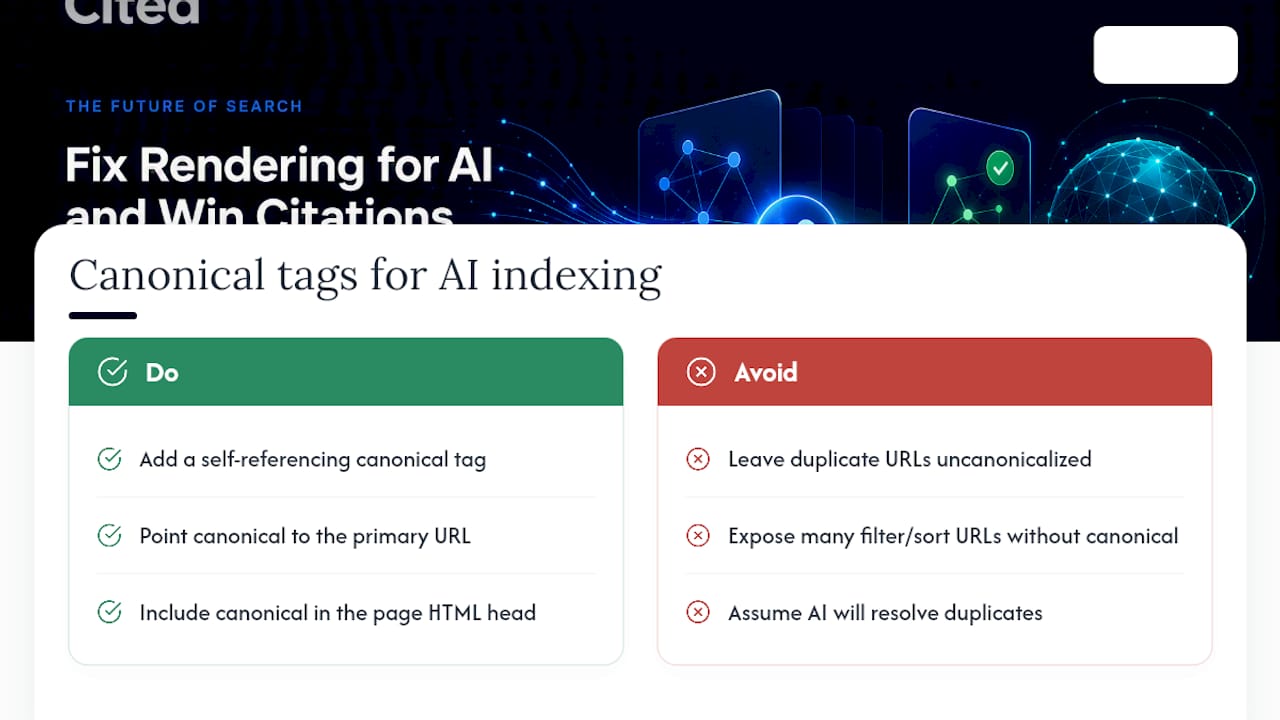
Canonical tags matter for AI indexing for the same core reason they matter for search: they tell any crawler which version of near-duplicate content is the authoritative one. Without a clear canonical, an AI retrieval system indexing multiple URL variants of the same page, with tracking parameters, print versions, or paginated duplicates, may cite the wrong version, split authority signals across versions, or simply pick the version its crawler happened to hit first.
The fix is unglamorous but essential: every page should carry a self-referencing or correctly pointed <link rel="canonical"> tag in its HTML head, matching whatever you'd want an AI system to treat as the definitive source. This matters more, not less, for AI retrieval than for traditional search, because many AI crawlers do less deduplication work than Google's indexing pipeline, which has decades of canonicalisation logic behind it.
Sites running e-commerce filters, faceted navigation, or syndicated content across multiple domains face the highest risk here. If your product pages generate a dozen URL variants through sort and filter parameters, and none of them carry a clean canonical back to the primary URL, you're effectively asking an AI crawler to guess which one deserves the citation. It usually guesses wrong, or skips citing the page family entirely rather than resolve the ambiguity.
Can API-rendered content work for AI compatibility?
API-rendered content can work for AI compatibility, but only if the final HTML delivered to the browser, not the API response itself, contains the complete text. A JSON API returning your article body is invisible to an AI crawler unless something renders that JSON into HTML before the crawler's request completes.
This is where server-side rendering earns its place again. If your architecture pulls content from a headless CMS via API, render that content into full HTML server-side before it reaches the client, using a framework like Next.js, Nuxt, or a traditional server-rendered template layer. The API remains your content source; it just can't be the last stop before the page renders.
Teams running headless architectures sometimes assume that because their API responds instantly and cleanly, their front end is automatically crawler-friendly. It isn't, unless the rendering layer sitting between the API and the browser actually produces static HTML that curl, and by extension most AI crawlers, can read without executing JavaScript. Test this the same way covered earlier: curl the live URL and check whether your article text appears in the raw response.
Cited's view: what audits keep finding, sprint after sprint
Every technical audit surfaces the same three failures: content rendered only in JavaScript, robots.txt quietly blocking GPTBot, and pages bloated past the point an AI crawler will finish reading. Our approach prioritises citation-first fixes, rendering, schema, and section structure, because these move AI exposure metrics faster than generic SEO housekeeping ever does.
— Tom Heaton
Get a free AI visibility audit before you touch a line of code
Guessing which of these fixes matters most for your site wastes a sprint you don't need to lose. A free audit can check rendering, schema, sitemap coverage, llms.txt presence, and robots.txt allowances in one pass, then provide a prioritised list instead of a generic scorecard. You can see exactly how Cited scores and weighs each of these six dimensions in the Cited methodology.
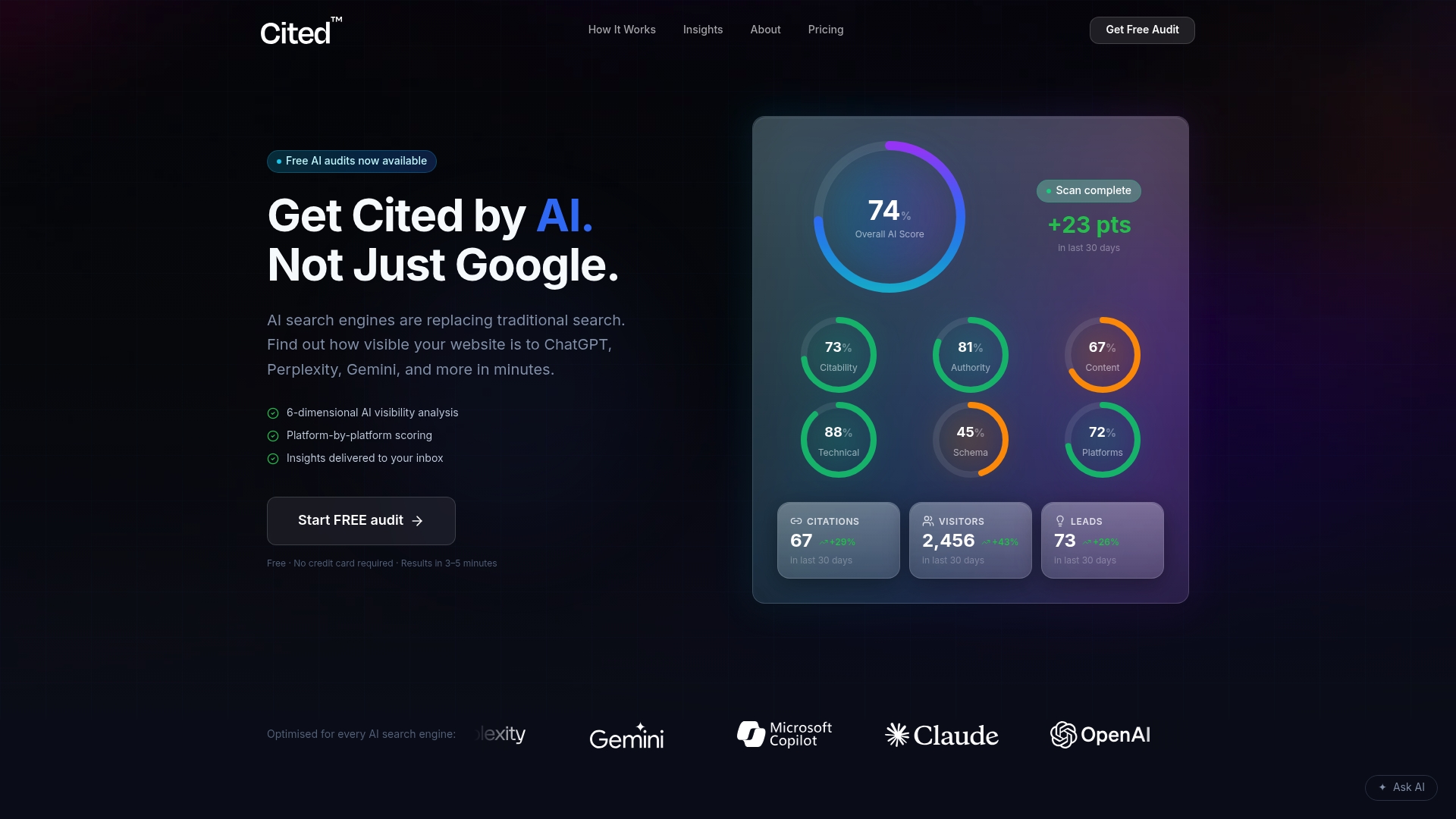
Start with the free audit at Cited, and if the report turns up rendering or schema gaps worth fixing properly, choose the level of help that matches the problem: a one-off Technical Fixes package at £495 for sites needing a focused rendering and schema correction, or the ongoing AI Optimised service at £995 a month for sites that want continuous monitoring and implementation as AI crawlers keep changing behaviour. Larger sites with multiple templates or complex API-rendered architectures can get a custom Enterprise scope. Book a call directly through Cited's booking page once you've seen your audit results, and read more implementation detail on our Insights page covering technical SEO for AI.
Sources
- Dynamic rendering and JavaScript guidance, Google Developers
- Server-side vs client-side rendering, Search Engine Journal
- Inside ChatGPT's retrieval stack, Search Engine Land
- AI search content optimisation checklist, INSIDEA
FAQ
What is rendering for AI?
Rendering for AI means delivering page content in raw, server-rendered HTML with machine-readable signals like schema and llms.txt, so AI crawlers can extract and cite it without executing JavaScript.
Does GPTBot execute JavaScript?
Most testing indicates GPTBot and similar AI crawlers do not reliably execute JavaScript, so content injected client-side risks being invisible to them, according to Prismic's testing.
What is the maximum page size for AI crawlers to read?
Pages larger than 4MB risk outright rejection by some AI retrieval systems, according to Search Engine Land's analysis of ChatGPT's retrieval stack.
Should I use server-side rendering or client-side rendering?
Use server-side rendering or static generation for content and publishing pages; reserve client-side rendering for genuinely interactive tools, following the guidance Martin Splitt at Google has given on this split, reported by Search Engine Journal.
Can Cited fix rendering issues found in an AI audit?
Yes. Cited's free audit identifies rendering, schema, and structural issues, and its Technical Fixes and AI Optimised services implement the corrections directly rather than just reporting them.
Recommended
Ready for your AI score?
See how visible your site is to ChatGPT, Perplexity & Gemini.
Start FREE auditResults in minutes · 100% free